David
David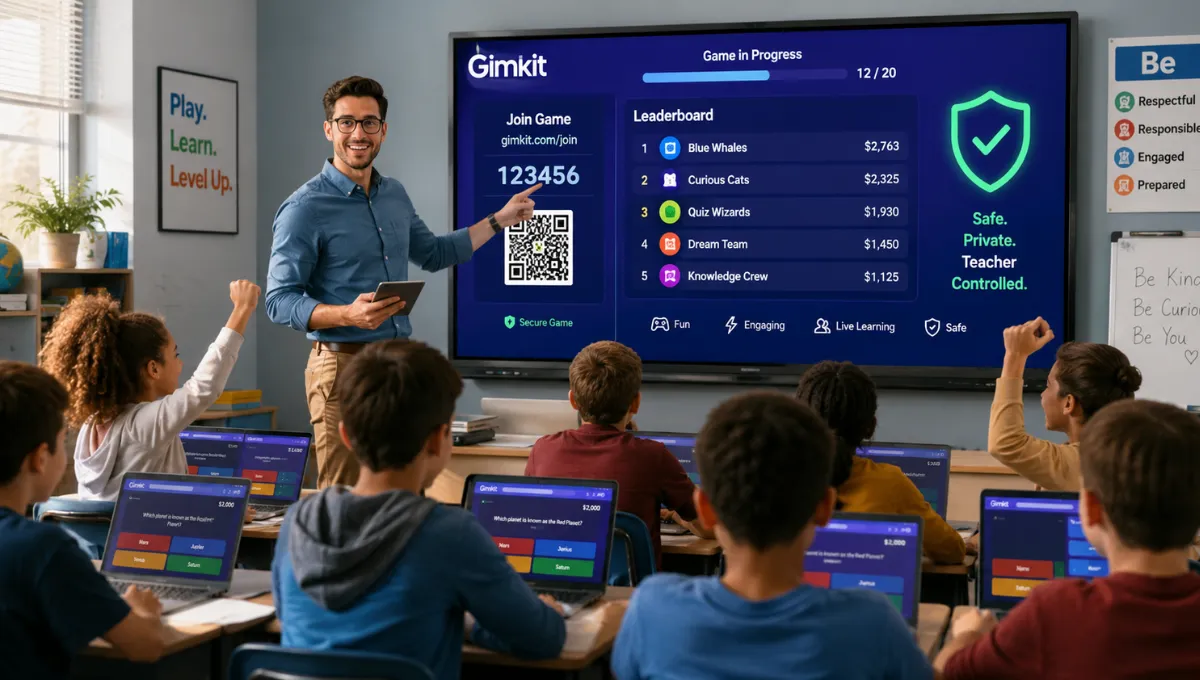
You have probably heard a classroom explode with excitement over Gimkit and wondered what the fuss is about, or maybe you got assigned to be the gimkit host for the first time and felt a small wave of “wait, what am I actually doing here.” That mix of curiosity and mild panic is completely normal.
This gimkit host review breaks down what hosting actually involves, whether Gimkit host is legit or scam, and what genuine safety concerns exist for teachers handing this tool to a room full of kids.
Short answer upfront: it’s a real, functioning educational tool from an established company, but its privacy documentation has real gaps worth knowing before you rely on it heavily.
What Is Gimkit Host
Gimkit host is the role and control panel a teacher or game leader uses to run a live, multiplayer quiz game built from a set of questions called a “Kit”. Think of it as the person holding the remote control while students compete, answer questions, earn in-game cash, and unlock game mechanics in real time.
The Host dashboard sits at gimkit.com/host, separate from where students actually join and play. It’s built specifically for classroom review sessions, letting teachers turn a normal quiz into something closer to a game show, complete with strategy elements tied to correct answers.
Key Features
Here’s what the hosting experience actually includes once you dig into it.
- Free tier covering basic hosting, kit creation, and standard game modes
- Paid subscription tiers unlocking larger kits, extra customization, and advanced game settings
- No student account required for basic play, though accounts unlock XP and cosmetics
- Support for up to 500 players joining a single live game via code, QR code, or direct link
- Multiple game modes ranging from Classic to full 2D adventure formats
- Nickname Generator feature for anonymous, safer student names during gameplay
That free-to-paid structure matters because most classroom teachers can run genuinely functional games without ever paying, which is a meaningful trust signal on its own.
How Gimkit Host Works
The actual hosting process is refreshingly simple once you walk through it step by step.
- Log into your Gimkit teacher account and pick the kit you want to play, then click Play Live
- Select a game mode from the Mode Picker, since Gimkit doesn’t remember your last choice
- Configure game options like time limit, cash goal, question count, and whether late joining is allowed
- Share the generated join code, QR code, or direct link with students at gimkit.com/join
- Watch the lobby fill up, then click Start Game once everyone’s in
For network reliability, one detailed guide specifically recommends ensuring access to .gimkit.com and .gimkitconnect.com domains, plus using Ethernet where possible for more stable play during larger sessions.
Gimkit Host Legit or Scam
Short answer: Gimkit host is legitimate it’s a real, established educational platform used widely in classrooms, with functioning free and paid tiers and no evidence of fraudulent behavior but calling it fully “safe” requires separating legitimacy from privacy transparency, which is a genuinely different question.
Trust signals here are solid on the business-legitimacy front. Gimkit operates as a known EdTech company with a functional website, clear pricing structure, and active help documentation covering hosting, kit creation, and troubleshooting. It’s not an anonymous domain asking for payment before delivering anything, and its content guidelines explicitly instruct users never to share personal information like real names or locations during gameplay.
So is gimkit host real or fake as an operating platform? It’s completely real, actively maintained, and used by teachers at scale. Where a genuine concern surfaces is data transparency rather than fraud. One detailed independent review put it directly: “Gimkit’s privacy documentation is frustratingly thin,” specifically flagging “a glaring lack of obvious COPPA or FERPA badges, and no mention of third-party security audits”.
Pros and Cons
Laying this out plainly beats vague reassurance either way.
Pros
- Genuinely free tier that supports real classroom hosting without payment
- Simple, well-documented hosting process across official help pages
- No student account required for basic participation
- Nickname Generator adds a layer of anonymity protection for younger students
- Supports large groups, up to 500 players per live session
- Clear content guidelines prohibiting sharing of personal information
Cons
- Privacy documentation lacks visible COPPA or FERPA compliance badges
- No mention of third-party security audits in publicly available materials
- Teachers track actual student performance data, raising district-adoption transparency concerns
- Gimkit doesn’t remember your last game mode, requiring reselection every session
- Some game modes require stable network access to specific domains, which can trip up school networks
- Paid tiers gate larger kits and advanced customization behind a subscription
Is Gimkit Host Safe to Use
Short answer: Yes, Gimkit host is reasonably safe for classroom use when basic precautions are followed it doesn’t require student accounts for simple play, and content guidelines explicitly ban sharing personal information but the platform’s own privacy documentation gaps mean schools handling sensitive student data should verify compliance independently before wide adoption.
The core structural safety features are genuinely reassuring. Students can join and play without creating an account at all for basic games, which limits data collection significantly for casual classroom use.
Gimkit’s own content guidelines are explicit: “Never share your or anyone else’s information on Gimkit,” specifically naming location, real name, or identifying details as off-limits.
The gap sits with formal compliance transparency. Since Gimkit tracks student performance data for teacher reporting, and the review found no clear COPPA or FERPA certification visible on the platform, districts with strict data-privacy requirements should treat that as a real due-diligence item, not an assumption to skip.
A few practical safety habits worth following as a host:
- Turn on the Nickname Generator for younger students to avoid real names appearing publicly during games
- Avoid requiring student accounts unless XP and cosmetics genuinely matter for your lesson goals
- Check your school or district’s specific data-privacy policy before relying on Gimkit for graded or sensitive assessments
- Remind students directly not to enter real names, locations, or identifying details into nicknames or chat
- Verify network access to official Gimkit domains ahead of time to avoid mid-class technical disruptions
Real User Experience and Personal Analysis
One detailed 2026 hands-on review scored Gimkit’s pro tier a strong 4.4 out of 5 specifically for pricing value against competitors, suggesting the paid tier genuinely earns its cost for regular classroom use. That’s a meaningfully positive signal from someone who actually ran live games rather than just reading marketing copy.
The recurring theme across guides wasn’t really about whether hosting works, it clearly does, reliably, across dozens of independent walkthroughs describing nearly identical smooth setup flows. The theme that stood out instead was a quieter, more serious gap: the same educational review site that praised Gimkit’s classroom engagement also flagged its privacy transparency as “frustratingly thin,” which is a phrase I don’t see often in glowing EdTech reviews.
My own read after going through this is that Gimkit hosting genuinely delivers on classroom engagement, teachers consistently describe kids going from “slumped-over-their-desks to leaning-in-and-shouting”. But if you’re a school administrator evaluating this for district-wide rollout involving real student data tracking, the missing compliance badges are worth a direct email to Gimkit’s support team before you commit, not just an assumption that “everyone uses it, so it must be fine.”
Best Alternatives to Gimkit Host
If the privacy documentation gap bothers you enough to look elsewhere, a few comparable classroom tools are worth weighing.
| Alternative | Best For | Standout Difference |
|---|---|---|
| Kahoot | Quick, competitive review games | Longer market presence, more visible compliance messaging |
| Quizizz | Self-paced and live quiz formats | Stronger built-in student progress reporting |
| Blooket | Game-based review similar to Gimkit | Comparable engagement style, different game formats |
None of these fully replicate Gimkit’s specific cash-earning, strategy-driven Classic mode, so if that gameplay style matters most to your lesson plans, that’s worth weighing against the privacy trade-off.
Final Verdict
If you want an engaging, genuinely free way to turn a review session into something students actually look forward to, Gimkit host delivers exactly that, and the hosting process itself is simple enough to learn in minutes. Where I’d personally slow down is before rolling this out district-wide with heavy student-data tracking, since the platform’s own compliance documentation doesn’t clearly show COPPA or FERPA certification.
My honest take: use it confidently for everyday classroom engagement with the Nickname Generator turned on, but if your school handles sensitive student records through it, get written confirmation of data-privacy compliance directly from Gimkit first.
FAQs
Ans. It’s legitimate — a real, established EdTech platform with functioning free and paid tiers and no evidence of fraudulent behavior, not a scam operation.
Ans. Reasonably safe for basic classroom use, especially with the Nickname Generator enabled and no personal information shared, though formal COPPA/FERPA compliance documentation is notably thin.
Ans. It’s completely real and actively used by teachers worldwide, with official help documentation and a functioning dashboard at gimkit.com/host.
Ans. No, basic play doesn’t require a student account; accounts are only needed to unlock XP and cosmetic features.
Ans. Yes, a free tier supports real classroom hosting, while paid subscriptions unlock larger kits and advanced customization options.